


Yesterday was the release of PHP7.0.0 and I wanted to have it on my mac as fast as possible. Since I’m still using Mac OS X Yosemite I will post here the steps to upgrade my platform, it might be useful for you too.
Requirements
Since Apple is doing a great job to provide PHP, Apache and MySQL straight out of the box, I’m not worrying about the Apache and MySQL.
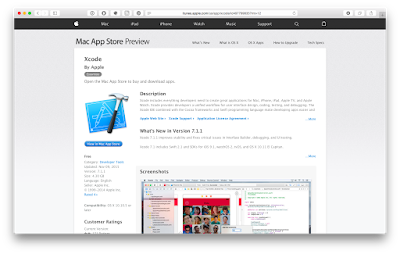
In order to to install PHP from source, you need to have XCode installed as it provides required libraries and headers that you will need to have a successful experience.
Of course, get the latest and greatest PHP7.0.0 bundle straight from php.net. Don’t forget to verify the signatures before you get started unpacking the sources.
Time to bake the sources
I like to build my apps from sources, even though there are package managers that will do it in a single command. There are really some great benefits from building from sources:
- You can switch on and off modules as you go
- You can now choose how you want to run PHP (as module, cgi or fpm)
- You can enable extra debugging and profiling features
- And my favorite: you can automate it
#!/bin/sh

PHP=$1

if [ -t $PHP ]; then
  echo "Usage: $0 "
  echo "  prefix    A prefix for your installation you would like to use"
  echo "            e.g. 'php7', 'php56'"
  exit 0
fi


XCODE_PATH=/Applications/Xcode.app/Contents/Developer/Platforms/MacOSX.platform/Developer/SDKs/MacOSX10.11.sdk/usr/
LIB_PATH=/usr

./configure
--prefix=/opt/${PHP}
--enable-cli
--with-apxs2
--with-iconv=${LIB_PATH}
--with-config-file-path=/etc/${PHP}
--with-config-file-scan-dir=/Library/Server/Web/Config/php
--with-libxml-dir=${XCODE_PATH}
--with-openssl=/usr
--with-mysqli
--with-pdo-mysql
--with-mysql-sock=/tmp/mysql.sockTruncated by Planet PHP, read more at the original (another 2338 bytes)
Source: Planet PHP